Marymount App
- How to access the app
- Other important platforms for parents
- Marymount App for Android phones
- How to access Report Cards on PowerSchool
How to access the app
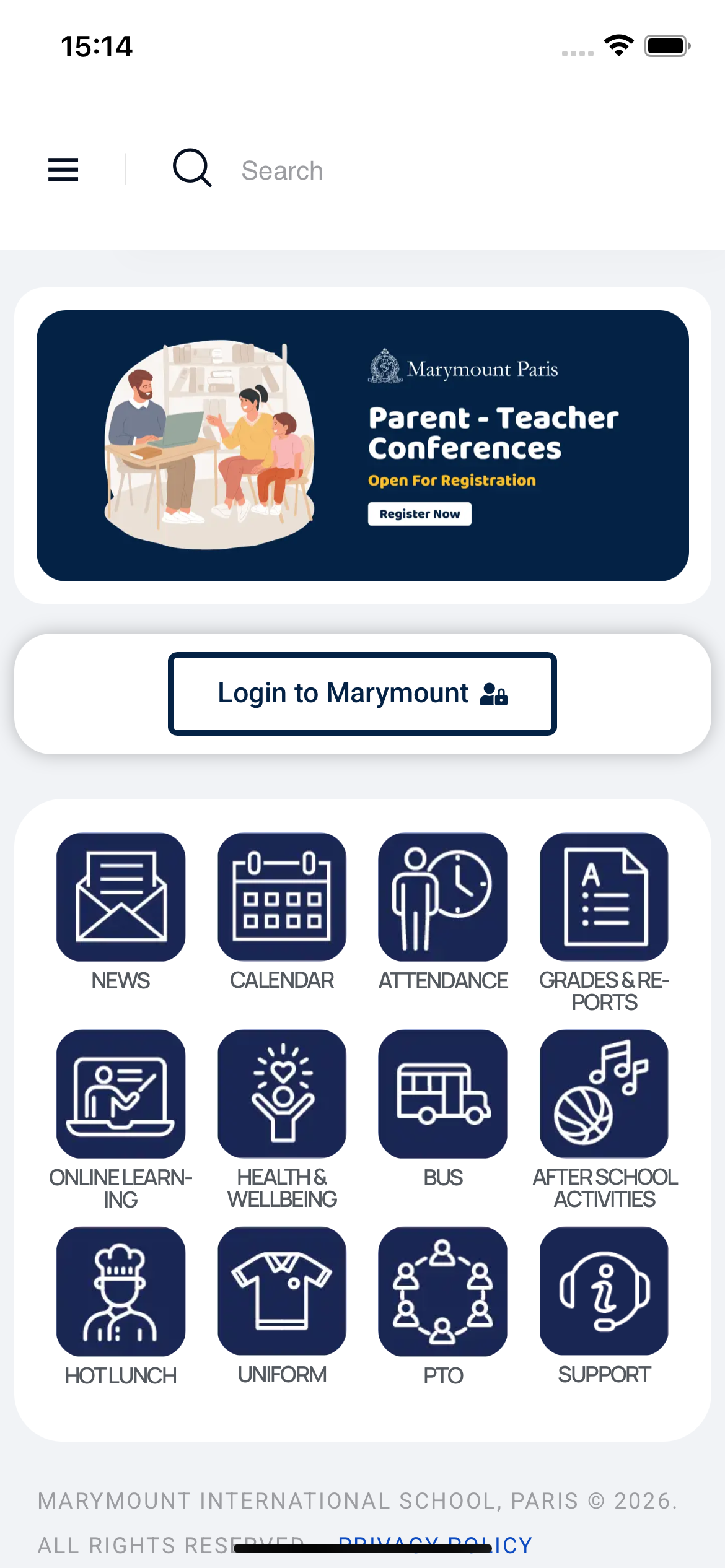
The Marymount Paris App is your comprehensive digital gateway to stay connected with your child's school experience. Through this centralized platform, you can access all the essential information and services you need as a parent in one convenient location. Whether you're checking the latest school news, viewing the academic calendar, or monitoring your child's attendance and academic progress through grades and reports, everything is just a tap away.
Beyond academics, the app helps you manage the practical aspects of school life with ease. You can access online learning resources, stay informed about your child's health and wellbeing initiatives, and manage bus transportation details. The app also keeps you connected to the wider school community through features for hot lunch ordering, uniform information, PTO (Parent-Teacher Organization) updates, and after-school activities enrollment. Additionally, you can register for important events like parent-teacher conferences directly through the app, and access dedicated support whenever you need assistance. With the Marymount Paris App, you'll have everything you need to support your child's educational journey right at your fingertips.
With your phone, tablet, or computer
Install the iPhone app or access from anywhere at https://app.marymount.fr
How to login
The schools sends your initial login and password by email as part of your enrollment process.
if you haven't received such email, you can inquire our IT Helpdesk at ithelpdesk@marymount.fr
if you have lost/forgotten your password, you can initiate its recovery here
Other important platforms for parents
Our Marymount app centralizes access as much as possible. However, we also employ some other platforms to better serve your neds, in particular:
Powerschool - Grades, Attendance and reports
these two tiles on the app will lead you to an external platform that's "PowerSchool"
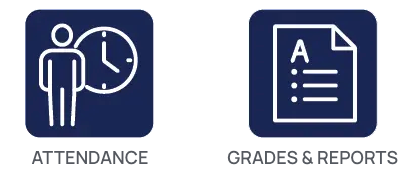
PowerSchool is our Student Information System, used for most of the pedagogy aspects, including the management of attendance, grades and reports.
You can directly access PowerSchool via this link for parents/guardians and Students
https://marymountparis.powerschool.com/public/
Parents will login with the unified school credentials if they are not recognized as par of the Single Sign-On (SSO) process.
Students will login using their Google Account provided by the school
SchoolsBuddy - After-School Activities, Parent-Teacher Conferences and Bus
Marymount App for Android phones
From your web browser, visit the following address:
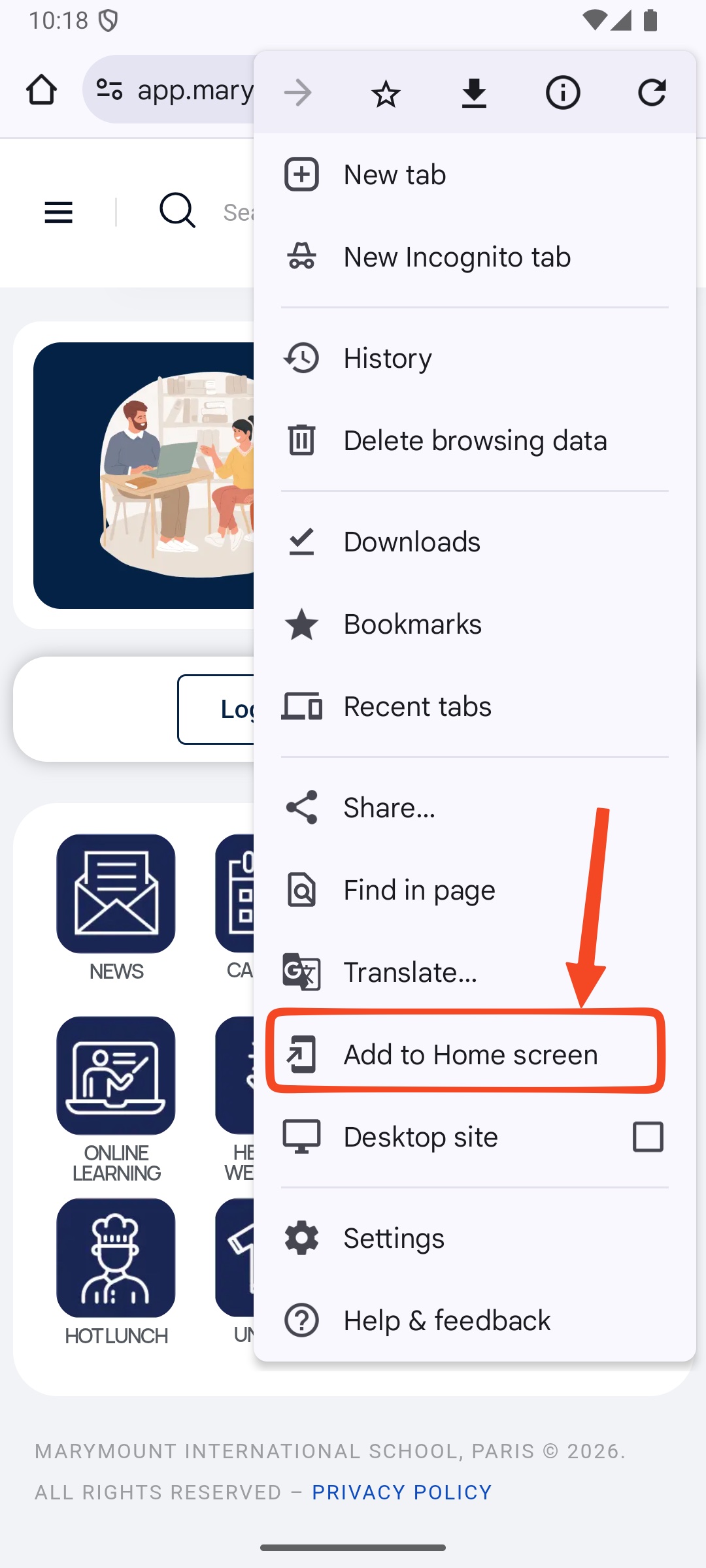
Press on the "Three dots" menu

Select "Add to Home Screen"
Confirm by clicking "Install"
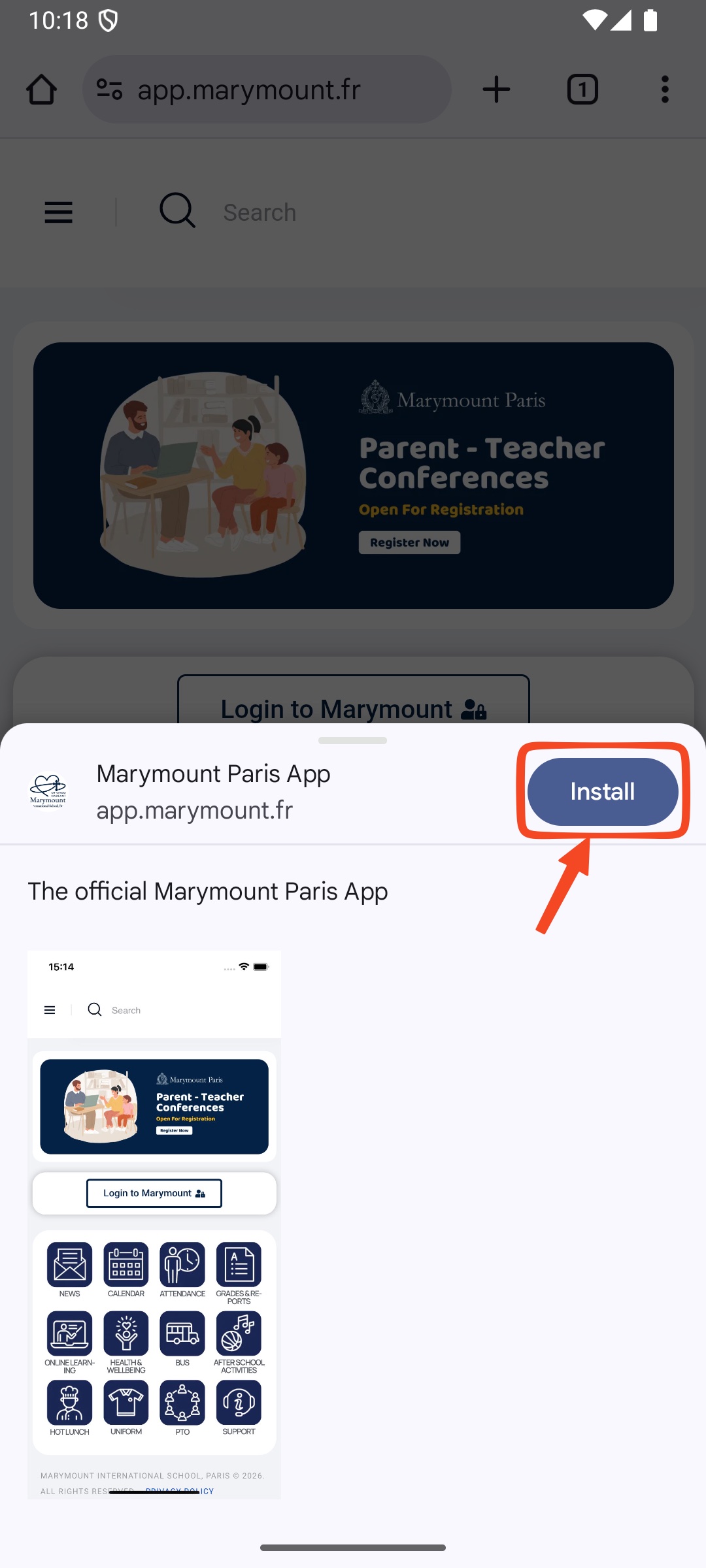
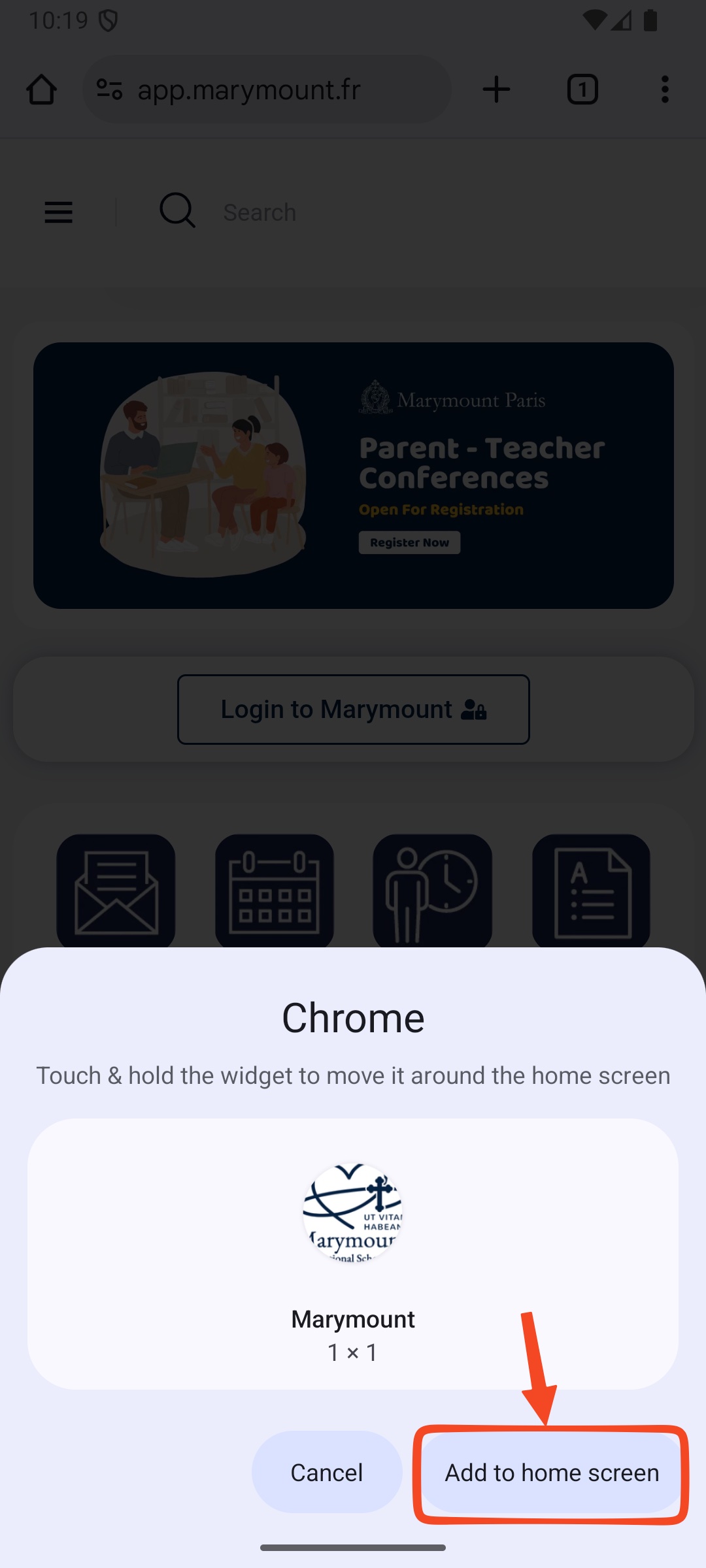
Finaly, click "add to home screen"
How to access Report Cards on PowerSchool
- From the Marymount App, click on "Grades and Reports" -> Access PowerSchool
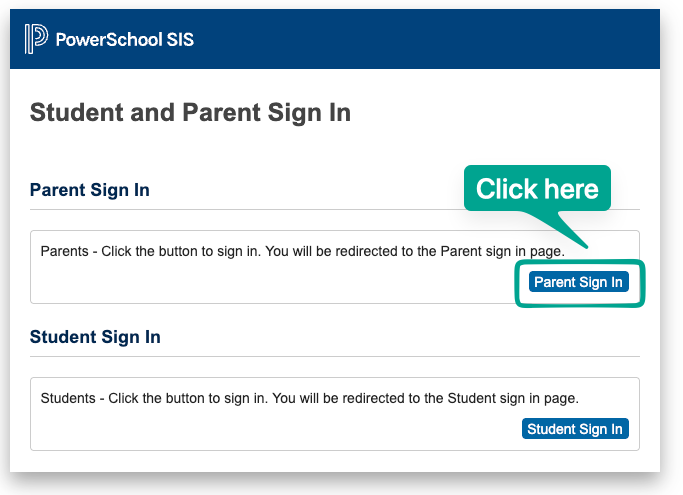
- Use the Parent SIgn In
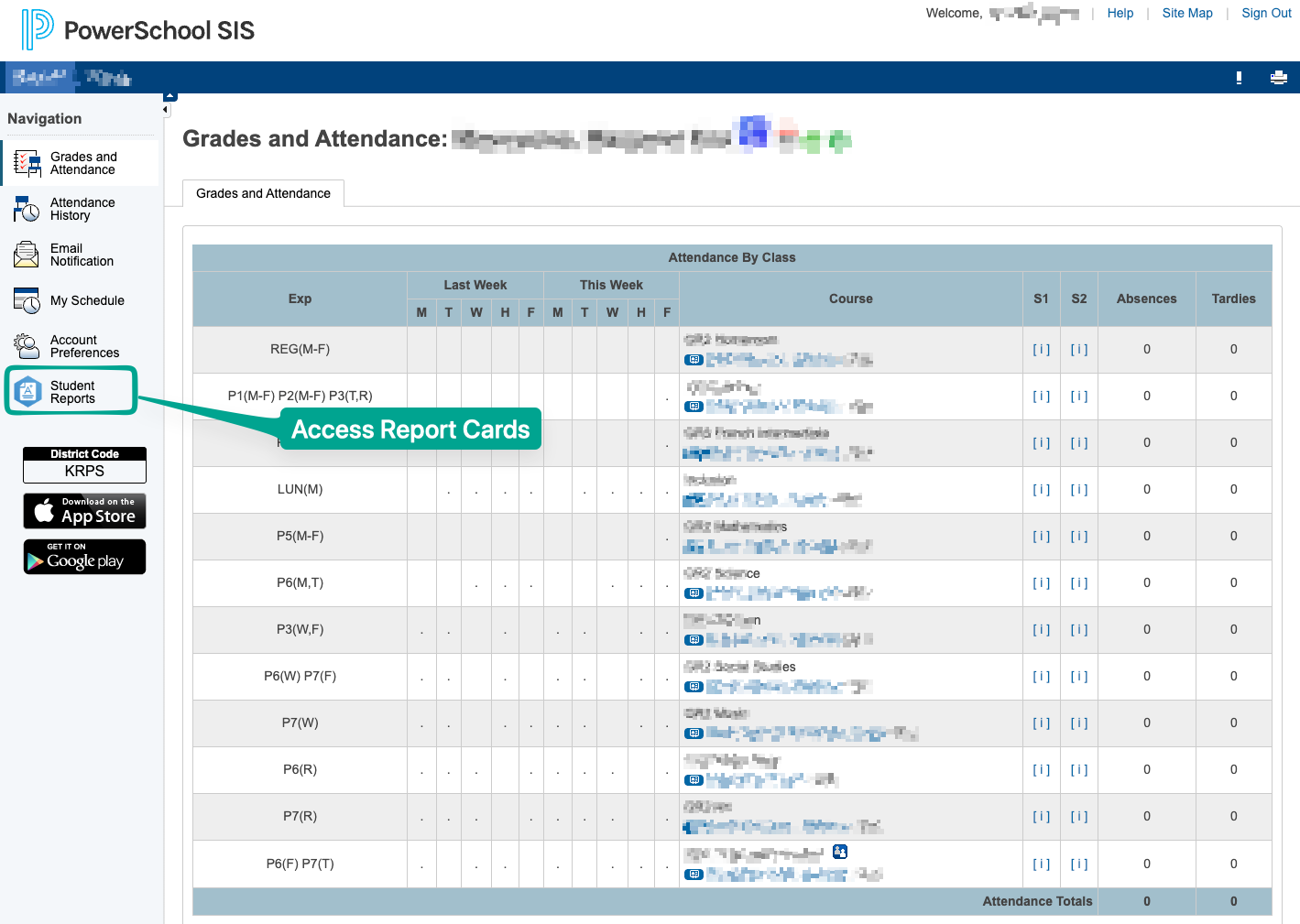
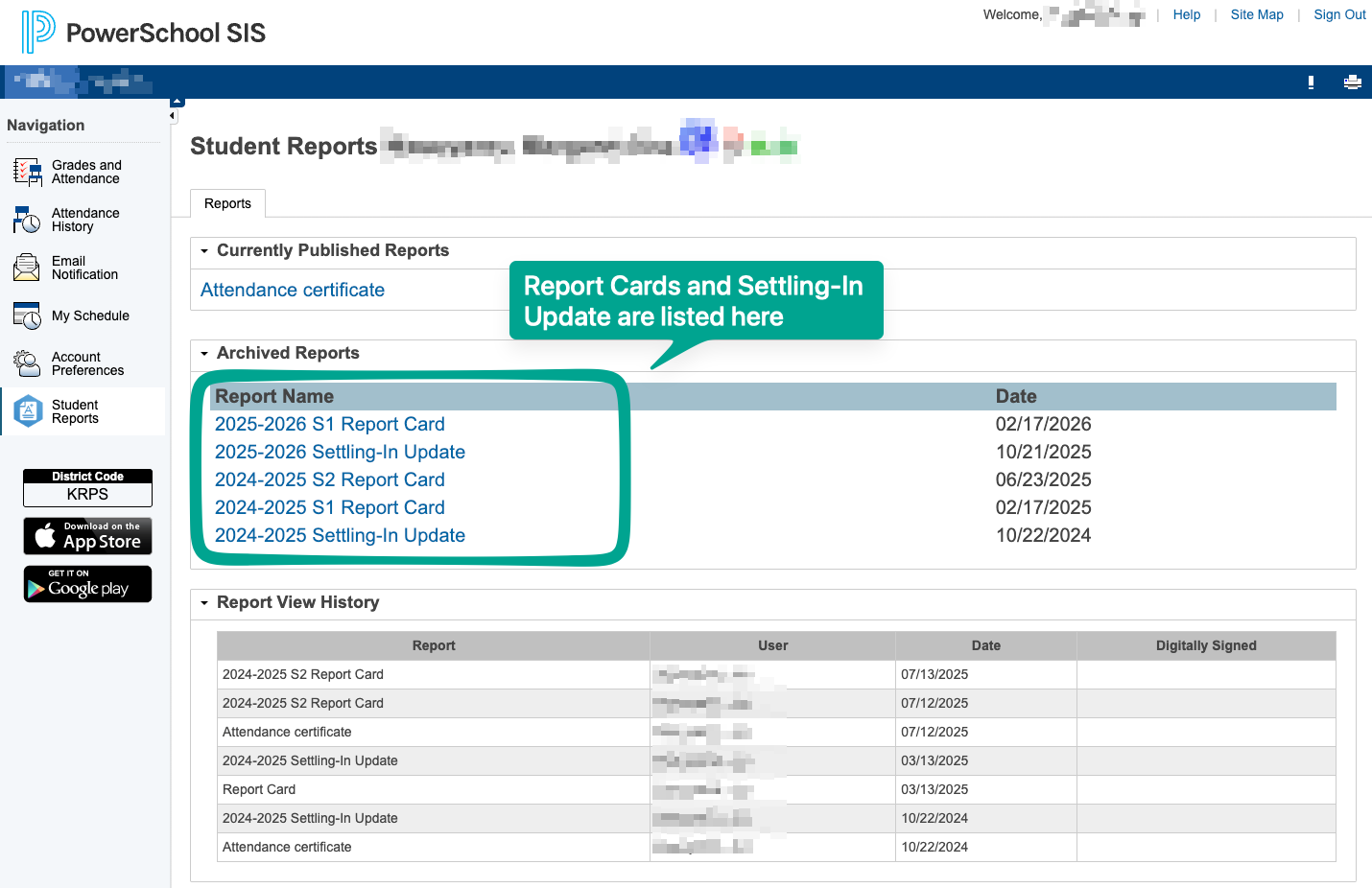
3. Select "Student Reports" from the left hand-side menu
4. Select a report to view it
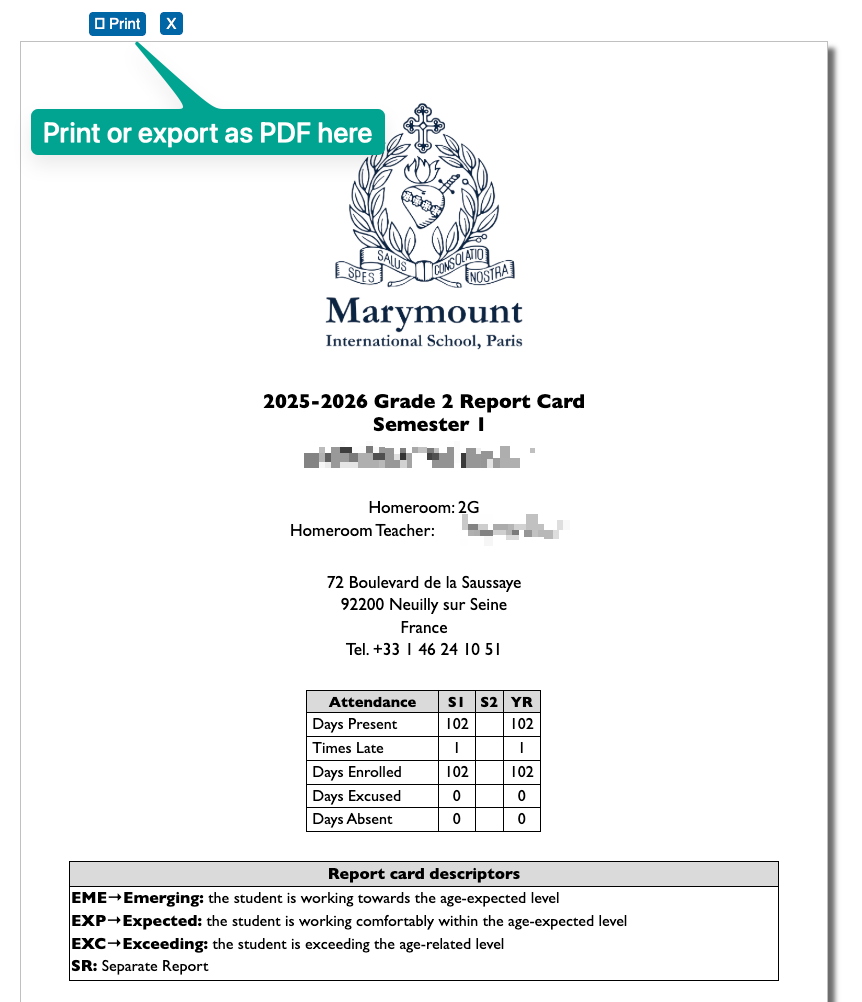
5. you can use the print button to print it, or use the feature "save as PDF" as most systems allow.
Note: If you have several children enrolled, you can toggle who's information will be displayed on the top menu: